Review the store record
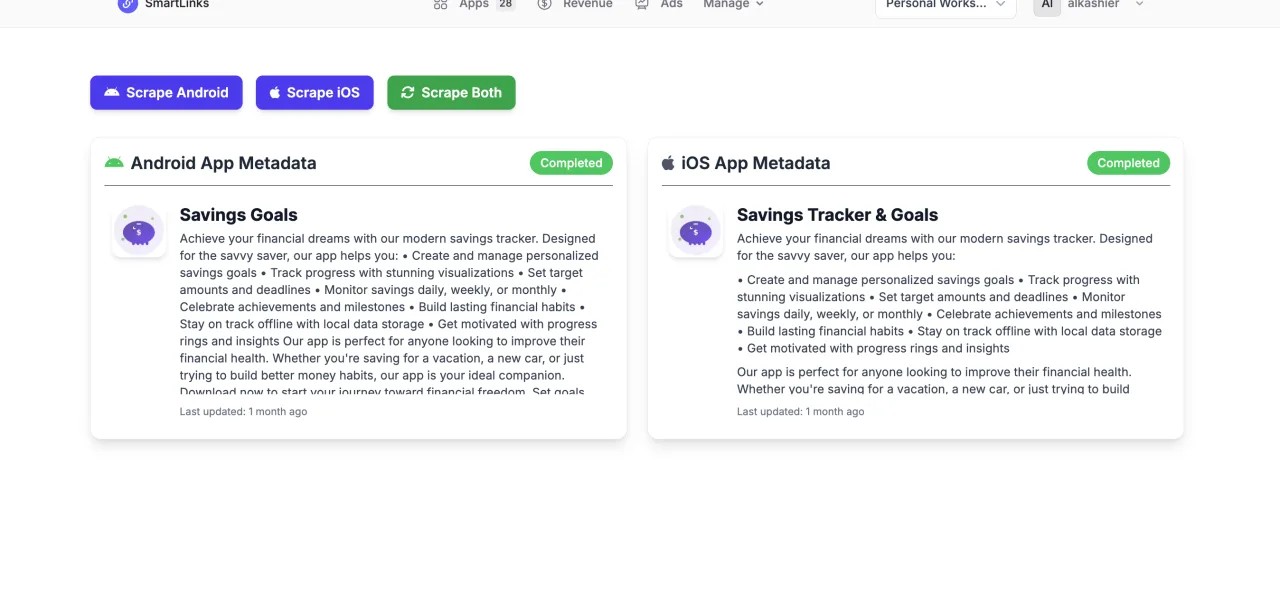
Refresh available store data and compare the app identity and metadata you are working with.
SMARTLINKS / STORE METADATA
Review connected app store metadata and maintain the identity behind your workflows. Give creative, analytics, and release work a reliable starting point.
Your SmartLinks account. Your apps. One connected workspace.
WHAT’S INSIDE
Start with the job in front of you. These focused tools share the app context you already have in SmartLinks.
Refresh available store data and compare the app identity and metadata you are working with.
Maintain the app settings and platform identifiers used by the connected SmartLinks features.
Move into ASO or creative work with the right app context and verified store setup.
FROM IDEA TO ACTION
Store Metadata uses your existing app and account, so the work stays connected as you move through the process.
Read the practical guide ↗Add your app and its platform identifiers.
Connect the relevant stores and refresh metadata.
Review the details before starting a launch workflow.
GOOD TO KNOW
Store fields and write permissions vary by integration. A local edit is not proof of a published store change.
No. Sign in with your existing SmartLinks account and select an app you can access. Existing app ownership and team permissions still apply.
This product uses your SmartLinks plan and its feature allowances. The pricing page shows current plans that include Store Metadata. Choosing a different suite plan changes your shared subscription; it does not add a separate subscription for this product.
Compare eligible plans →Yes, when your plan and permissions include them. Your apps and connected services stay in the same SmartLinks workspace. Some workflows need additional provider setup.
Explore the product collection →YOUR NEXT GOOD MOVE
Start with Store Metadata. Keep the whole picture connected.
BETTER TOGETHER